Profile
What does Magic Bookmark do for a book you stopped reading?
Magic Bookmark is an iPhone app from Yomu Inc. that catches you up on a book you put down, without spoiling what comes next. You show it where you stopped (a photo of the page, the page number, or the last phrase you heard in an audiobook) and it gives you a recap, a cast list and answers that stop at that point. It works with your own copy in any format, but only for the titles it supports, and each book after the first costs between $1.40 and $4.99.
What is Magic Bookmark?
Magic Bookmark: Book Recaps is an iPhone app with the subtitle "Spoiler-free reading companion". Its developer and seller is Yomu Inc., which also makes YOMU - Family Reading Habits. The app does not contain any books. It works alongside the copy you already have: a hardcover, a paperback, an ebook, an audiobook or a library loan. The company's website calls this BYOB: bring, buy or borrow your own book.
This page is a desk review. We describe what the App Store listing and the company's website say, and we link to both at the end. We have not run timed tests, and we do not quote App Store reviews as if they were our testers.
On the US App Store it is rated 4.8 out of 5 from 25 ratings as of 4 November 2026, which is a small number of ratings, so treat the score as an early signal rather than a verdict.
How does it get you back into a book?
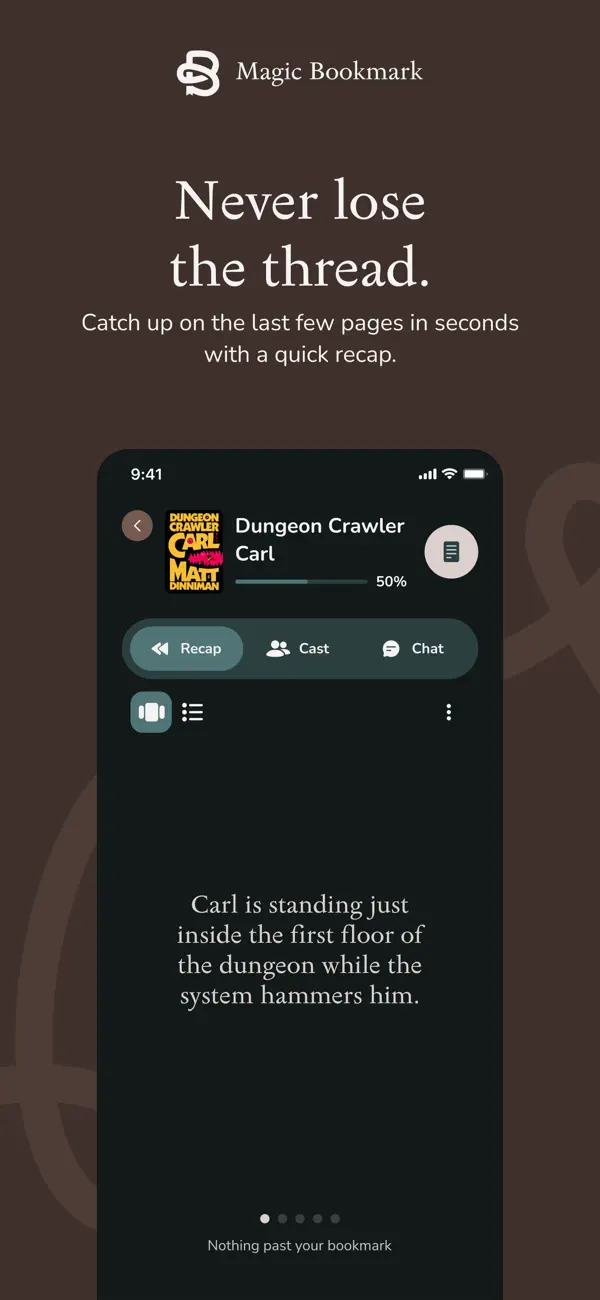
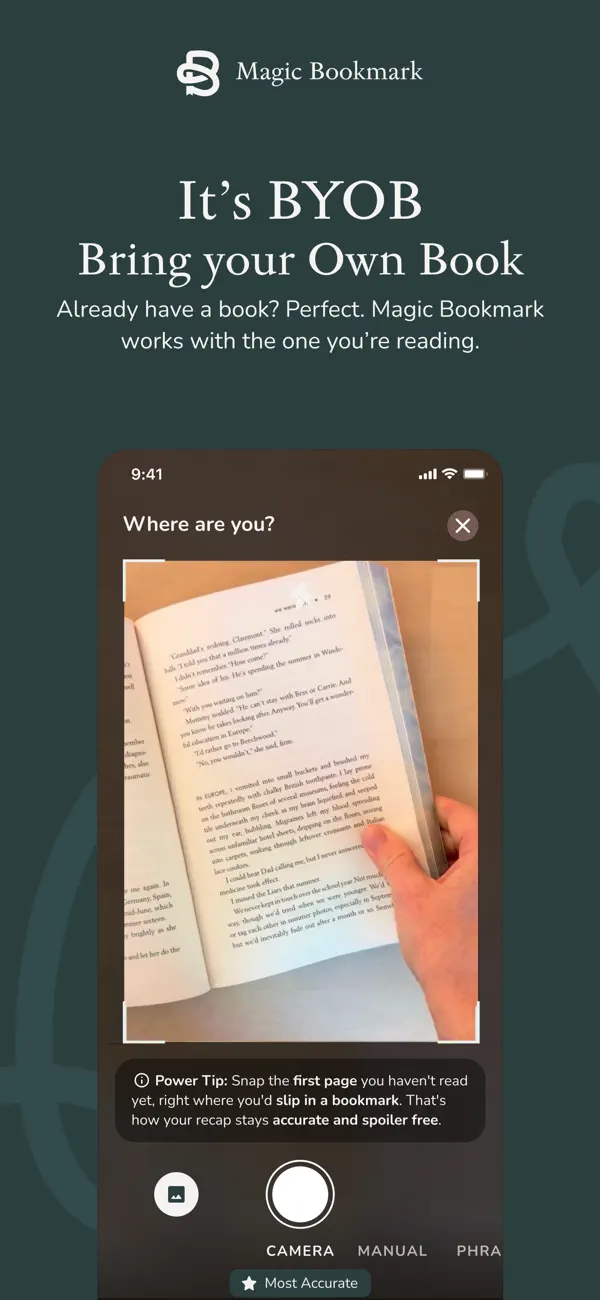
The listing describes a short loop. First you tell the app where you are. You can snap a photo of the page you are on or type the page number, and for audiobooks you enter the last phrase you heard. The app syncs to your exact place, which the listing describes as "not just the chapter".
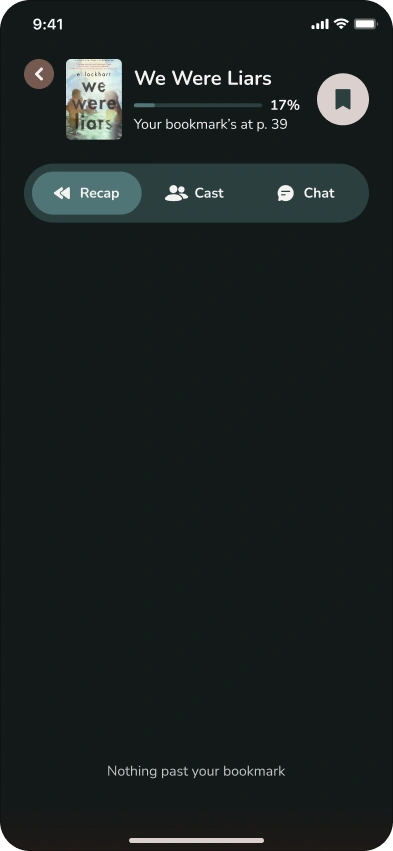
Then it offers four things, all limited to what you have already read:
- A recap that stops exactly where you are.
- A cast list of who's who and how they are connected. New characters appear only once you have met them.
- Questions about the story so far, answered without spoilers. The listing's example is "wait, are they together yet?"
- Chat with characters: type @ to summon one, and they answer in character, knowing the story only up to your page.
For someone coming back to a half-read book, the recap and the cast list do the work. The usual reason people restart from page one is that they have forgotten who everyone is, and the usual risk of looking it up is reading past their place. A recap that stops at your page removes both problems. See how to get back into a book you stopped reading for the full method, with or without an app.
Does it work with print books, ebooks and audiobooks?
Yes, that is the point of it. The website says: "Hardcover, paperback, audio book, ebook or library loan. However you read, your bookmark works." Its FAQ adds that it works alongside the physical book you already own, in any edition and any printing.
Audiobook support is recent. Version 1.1, released on 21 October 2026, added it, with the release note "Now with audiobook support: get spoiler-free recaps for any book format." Version 1.1.1 on 27 October repeats the note. With an audiobook you enter the last phrase you heard instead of a page number. We covered the update in a short dispatch.
Which books does it support?
Only supported titles. The app is launching with "the romance, fantasy, romantasy, YA, sci-fi, and historical fiction titles blowing up on BookTok" and Bookstagram, and says it is "adding more every day". You can request a title in the app.
Titles shown on the website include Fourth Wing, Iron Flame, Onyx Storm, A Court of Thorns and Roses, Throne of Glass, The Hunger Games, Mistborn, Dune, The Hobbit, The Housemaid, The Silent Patient, The Seven Husbands of Evelyn Hugo, Circe, Pride and Prejudice, Little Women, Jane Eyre, The Book Thief and The Martian, among others. If your book is not on the list, the app cannot recap it yet, and the free methods in our guides still work.
How much does Magic Bookmark cost?
The download is free and your first Bookmark Credit is free. One credit covers one book: the bookmark moves with you through that book, so you do not spend a credit each time you open it. Credits never expire, and there is no subscription.
| Pack | Price | Per book |
|---|---|---|
| First credit | Free | Free |
| 1 credit | $4.99 | $4.99 |
| 5 credits | $19.99 | $4.00 |
| 10 credits | $34.99 | $3.50 |
| 50 credits | $69.99 | $1.40 |
The App Store says your first credit is free. The company's website, checked on 4 November 2026, also advertises a two-week free trial with "unlimited books, no credit card, and nothing auto-renews". After that, a single credit is $4.99.
For a returning reader the free start is the useful part: you can try it on the one book you abandoned before deciding whether it is worth paying for the next.
What can it not do?
- It only covers supported titles. Many books, especially older literary fiction and most nonfiction, will not be there yet.
- It is iPhone only today, requiring iOS 16.4 or later. The listing also shows Mac with an Apple M1 chip or later, but the header says "Designed for iPhone. Not verified for macOS." Android is "on the roadmap for later", according to the website. There is no web version.
- It is English only.
- It is pay per book after the first, rather than free.
- Its App Store privacy label lists identifiers as data used to track you, and lists purchases, contact info, user content (photos), search history, identifiers, usage data and diagnostics as data linked to you.
What are the alternatives for getting back into a book?
If you read on a Kindle, Amazon's own tools may cover you for free. Kindle Recaps, announced on 2 April 2025, gives "Previously on" style refreshers for books you have already read in a series, and its Story So Far feature gives a spoiler-free recap up to where you stopped. Ask this Book, which launched on the Kindle iOS app in the US in December 2025, answers questions about plot and characters without spoilers. All three work only inside Kindle ebooks bought or borrowed through Amazon, and only in the US.
Two more tools now recap up to your place inside their own apps. Google Play Books has Book insights, whose "Catch me up" option gives an overview of what you have read so far, on select English-language ebooks, on Android, iOS and the web; Google said in September 2026 that it covers more than a million ebooks. Spotify's audiobook Recaps cover only the part of a Spotify audiobook you have already heard, on a limited selection of English-language titles, launched as a beta on iOS in November 2025. Like Kindle's tools, both work only for books you read or hear in that company's app.
A general chatbot can summarize a book, but it does not know which page you are on. You have to tell it, and trust it not to mention later events or invent details. Rereading the last chapter you finished, or the notes you kept, costs nothing and works for every book. Our comparison of re-entry tools puts these side by side.
Who is it for?
Magic Bookmark fits a specific reader: someone on an iPhone who stopped partway through a popular genre book, in print or audio, and wants to pick it up without rereading or risking spoilers. If that is you and your book is supported, the free first credit is a low-risk way to find out whether a recap gets you reading again. If you read mostly on a Kindle, check Amazon's free tools first. If your book is not supported, the restart worksheet does a slower version of the same job on paper.
Questions readers ask
Is Magic Bookmark free?
The download and your first Bookmark Credit are free. After that, one credit covers one book and costs $4.99 alone, or as little as $1.40 each in a pack of 50. There is no subscription and credits never expire. The company's website also advertises a two-week free trial.
Does Magic Bookmark work with physical books?
Yes. You photograph the page you are on or type the page number, and it works with any edition or printing of a supported title. It also works with ebooks, library loans and, since version 1.1 on 21 October 2026, audiobooks.
Will Magic Bookmark spoil the rest of the book?
Its listing says the recap, cast list, answers and character chat all stop at the place you give it, and that new characters appear only once you have met them. We have not tested this ourselves; this is a desk review of the listing and website.
Is Magic Bookmark on Android?
Not yet. The website says Android is on the roadmap for later. Today it requires an iPhone with iOS 16.4 or later.
Who makes Magic Bookmark?
Yomu Inc., which also makes YOMU - Family Reading Habits, an iPhone app for tracking family reading time.
Sources
- Magic Bookmark: Book Recaps, US App Store listing (checked 4 November 2026). https://apps.apple.com/us/app/magic-bookmark-book-recaps/id6793815001
- Magic Bookmark website and FAQ (checked 4 November 2026). https://magicbookmark.com/
- Amazon: Kindle Recaps, Story So Far and Ask this Book. https://www.aboutamazon.com/news/books-and-authors/kindle-recaps-feature-ebook-series-refreshers
- Good e-Reader: Ask this Book is available on the Kindle app for iOS (14 December 2025). https://goodereader.com/blog/kindle/ask-this-book-is-available-on-the-kindle-app-for-ios
- Google Play Help: Book insights. https://support.google.com/googleplay/answer/17011058?hl=en
- Google blog (2 September 2026): Book insights expands to over a million ebooks and the iOS app. https://blog.google/products-and-platforms/platforms/google-play/book-insights-ios-million-ebooks/
- Spotify newsroom (13 November 2025): Introducing Audiobook Recaps. https://newsroom.spotify.com/2025-11-13/audiobook-recaps-beta-test/